How will the Poolmate Application work?
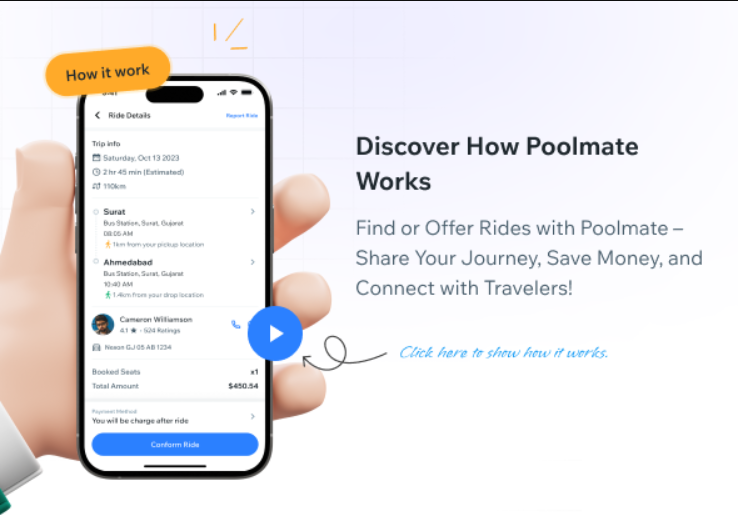
Steps to Use the Application:
1. Download the App:
- Visit the CodeCanyon link and install the APK or IPA link to your device.
2. Sign Up:
- Open the app and sign up using your email address, phone number, or social media account.
- Complete the registration by verifying your email or phone number.
3. Profile SetUp :
- Set up your profile with basic information such as your name, profile picture, and contact details.
- Add a brief bio and specify your preferences (e.g.,
smoking or non-smoking, music preferences). - For drivers, add car details, including make, model, colour, and licence plate number.
4. Publishing a Ride (Driver Mode):
Post a Trip:
- Tap on the “Post a Ride” button.
- Enter the trip details, including departure location, destination, date, time, and number of available seats.
- Set the price per passenger. The app may suggest a price based on distance and current market rates, but you can adjust it.
- Review and confirm the trip details before posting.
Manage Your Trips:
- Go to the “My Rides” section to view and manage your posted trips.
- See a list of passengers who have booked a ride with you and communicate with them via in-app messaging to arrange meeting points and other details.
5. Booking a Ride (Rider Mode):
Search for a Ride:
- Enter your departure and destination points, along with your travel date.
- Browse the list of available rides that match your criteria.
- View driver profiles, car details, departure times, and prices for each ride.
Select and Book:
- Choose a ride that suits your schedule and budget.
- Send a booking request to the driver.
- Once the driver accepts your request, proceed to payment. The app supports various payment methods.
- Payment is held by the app until the ride is completed.
Communicate with the Driver:
- Use the in-app messaging system to communicate with the driver and confirm meeting points and any other trip details.
6. Taking the Trip
Meet Up:
- On the day of the trip, meet the driver at the agreed location.
- Verify the driver and car details to ensure safety.
Enjoy the Ride:
- Travel to your destination with the driver and other passengers, if any.
- During the trip, you can update your status and estimated arrival time using the app.
After the Trip:
- Payment Release: After the trip is successfully completed, the app releases the payment to the driver.
- Rate and Review: Both passengers and drivers can rate and review each other. Provide feedback on your experience to help maintain the quality and reliability of the service.



