This app uses Google Cloud Messaging (within Firebase) to send push notifications to both iOS and Android devices.
Push notifications are enabled by default in all of our Flutter templates. However, they are set up to work with our staging Firebase project, so you’ll need to switch to your own project, similar to how you’ve done it for Firestore.
Setting Up Push Notifications with Your Own Firebase
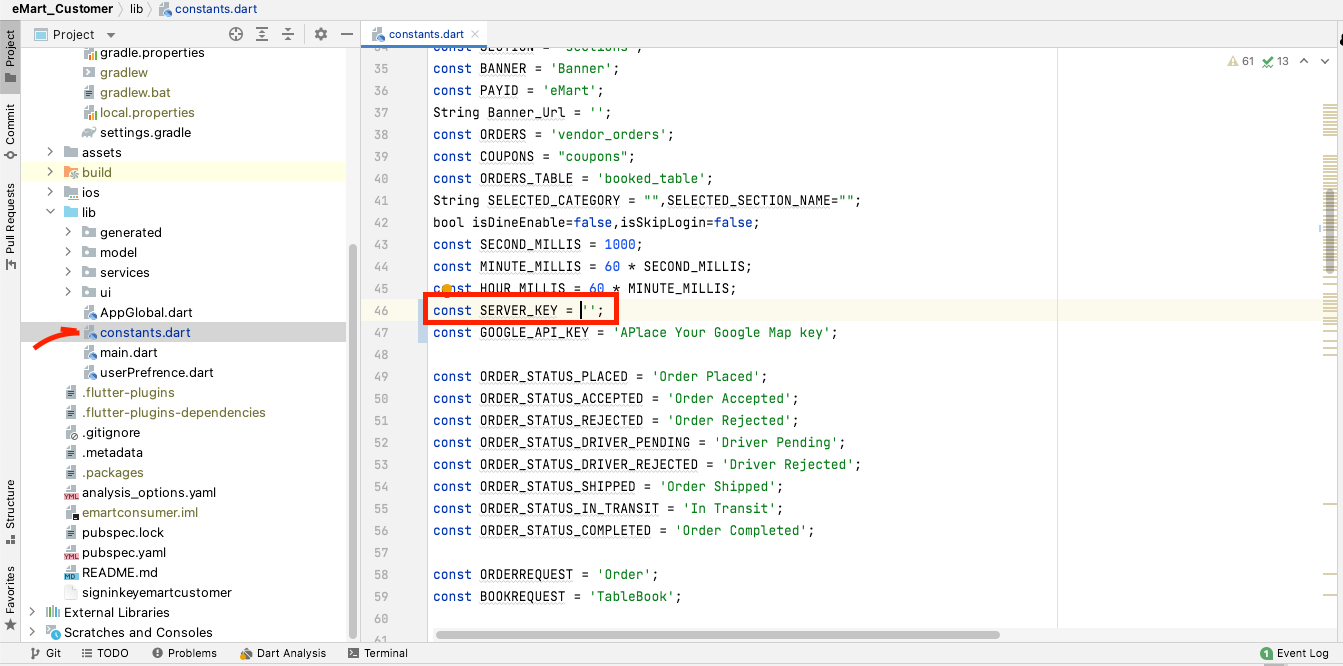
To set them up with your own Firebase, all you need to do is to replace the Server Key of the lib/constants.dart file with your own.
a) In Firebase, go to Project Settings -> Cloud Messaging and copy the Server Key to clipboard
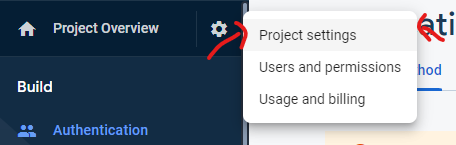
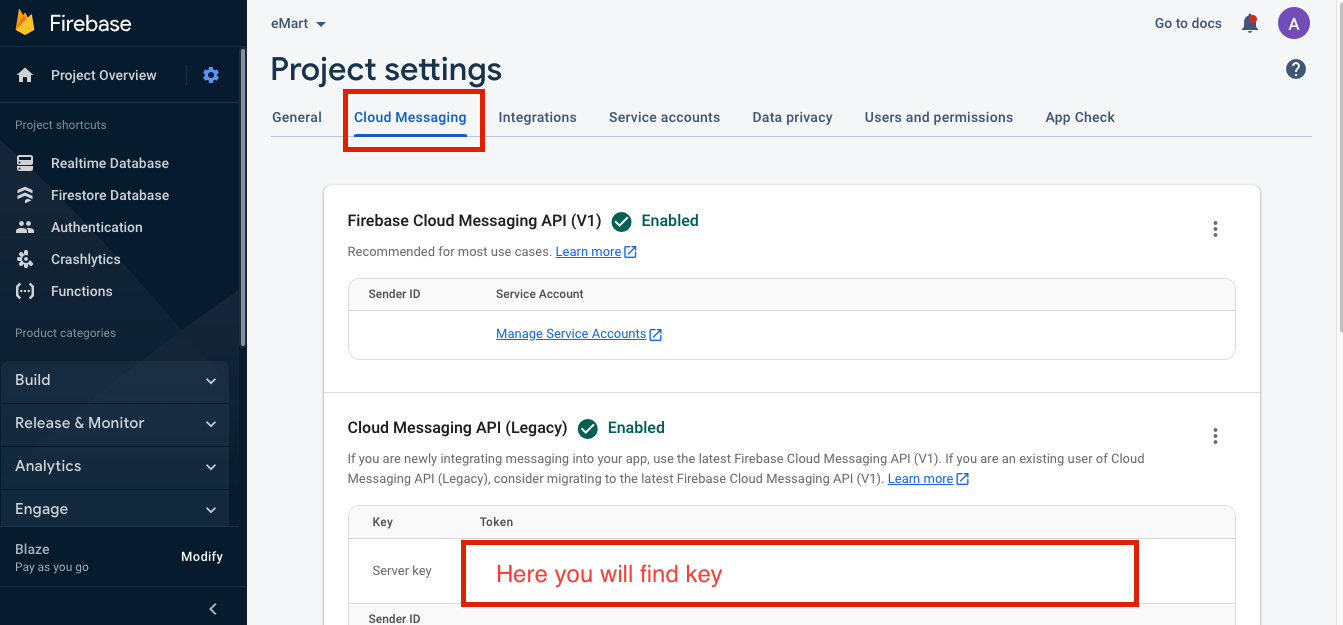
b) In the source code, go to lib/constants.dart and replace the Server Key (SERVER_KEY constant) with your own:
const SERVER_KEY = “YOUR_KEY_HERE”;
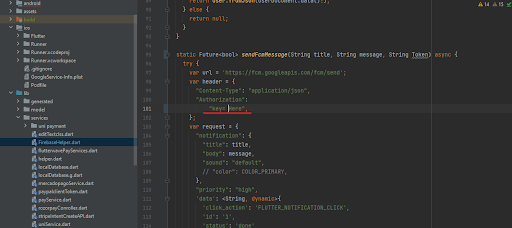
c) also place the key in file named FirebaseHelper.dart where sendFcmMessage method placed in that method replace text Enter Your Fcm Key with your own.
Code Documentation
sendNotification(String token, String title, String body) async {}
sendFcmMessage(String title, String message, String Token)
To identify all the places that trigger push notifications, simply search for this method in the project.



