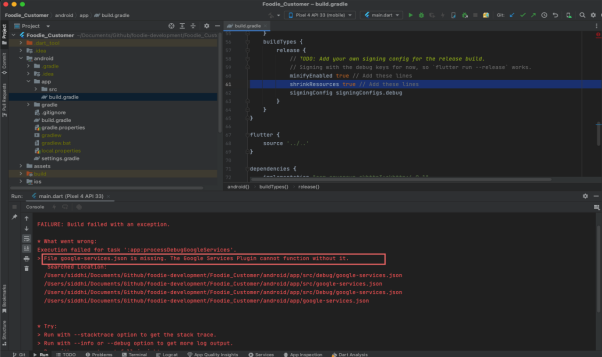
Application Setup Changes
Important Notes:
When you get above image error while run application then please setup firebase properly If you will face any kind of issue related to this ,feel free to raise a support ticket to https://siddhiinfosoft.com
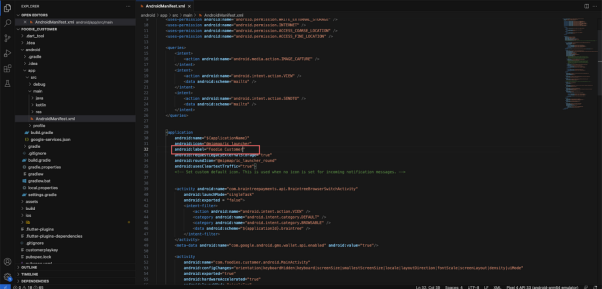
Change App Name (For both application customer and driver and restaurant follow same step)
1. Change the value of label from
/android/app/src/main/AndroidManifest.xml
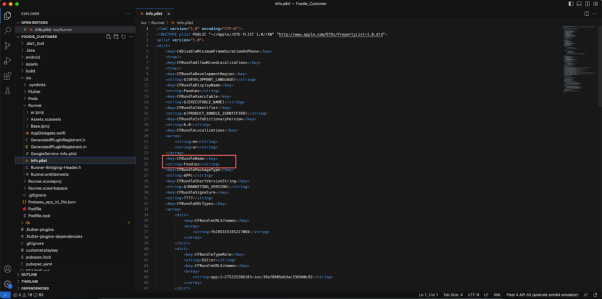
2. Change the value of CFBundleName from (For both application customer and
driver and restaurant follow same step)
/iOS/Runner/info.plist
3. Change App Package (For both application customer and driver and restaurant follow same step)
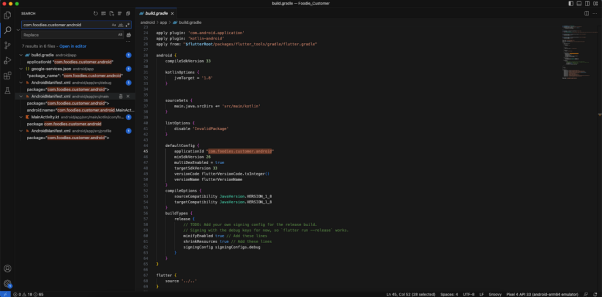
First you have to find out the existing package name. You can find it out from the top of the /app/src/main/AndroidManifest.xml file. Now on the right side of the project folder from VSCode. In the first box you have to put the existing package name that you saw in the AndroidManifest.xml file previously and write down your preferred package name in the second box and then click on Replace All button.
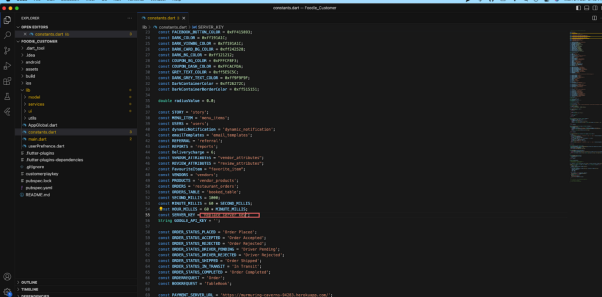
Replace Server Key
/lib/constants.dart
Replace Map key
1. Android
/android/app/src/main/AndroidManifest.xml
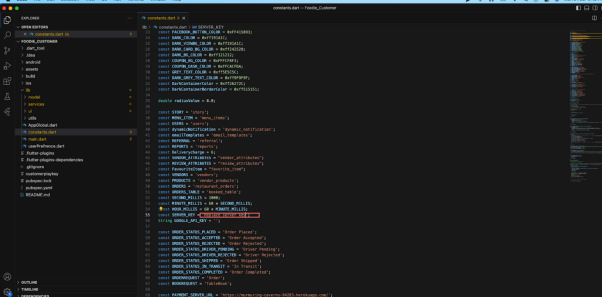
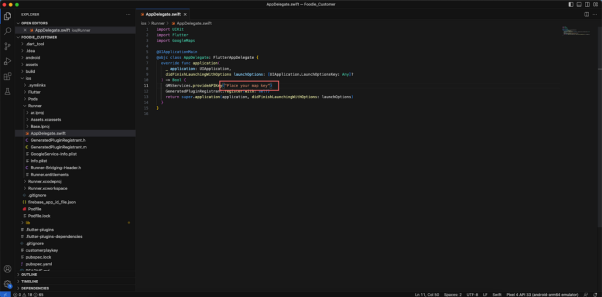
2. IOS
/ios/Runner/AppDelegate.swift