Step 1:
After downloading the code, extract the given zip file and upload the
quickl_admin_panel.zip file in your server following your expected directory and extract the zip file. admin panel can be installed on a domain or subdomain: For Example, yourdomain.com OR admin.yourdomain.com OR yourdomain.com/admin
Step 2:
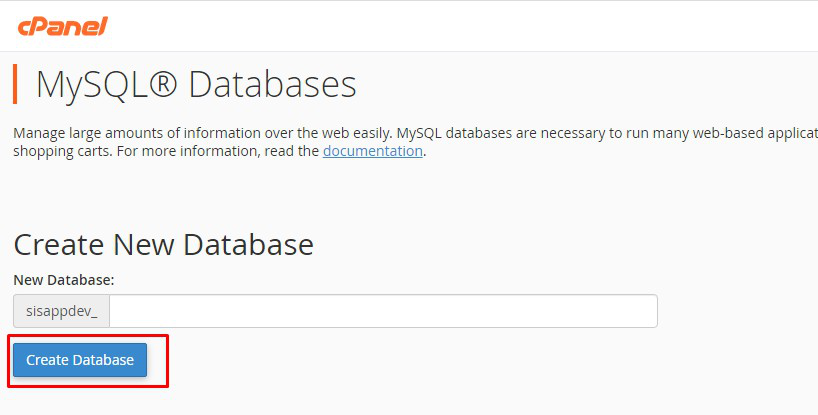
Create a new database from your server MYSQL database
Step 3:
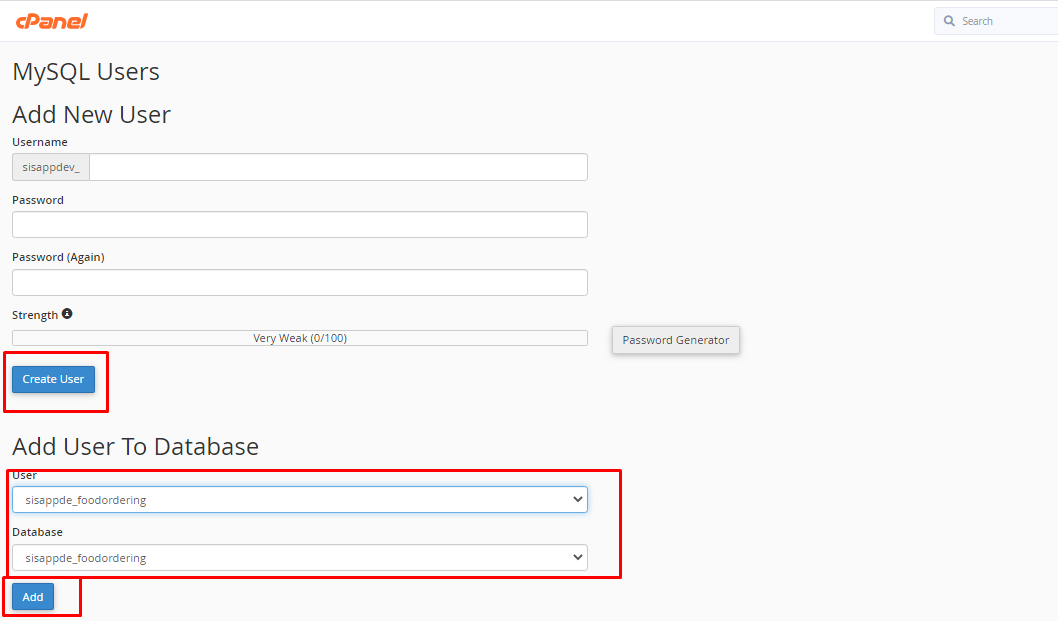
Create a DB user to the database and link that database to the DB user
Step 4:
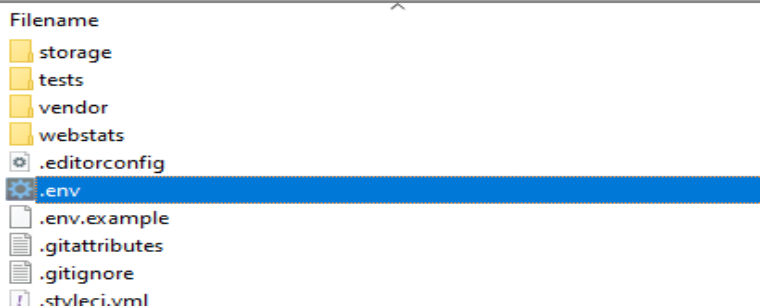
Update your database credentials (DB_DATABASE, DB_USERNAME
&DB_PASSWORD) to.env file which exist at root path of admin panel
Step 5:
Run the following commands from your project root terminal
php artisan key:generate

php artisan migrate
php artisan db:seed
Important Note:
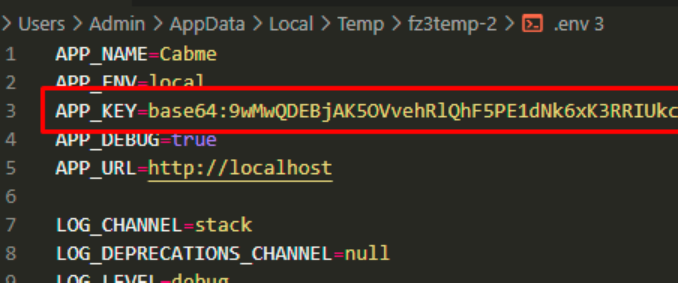
Please use the generated application key to your app otherwise your application will not work. You can see generated application key at .env file of admin panel root path