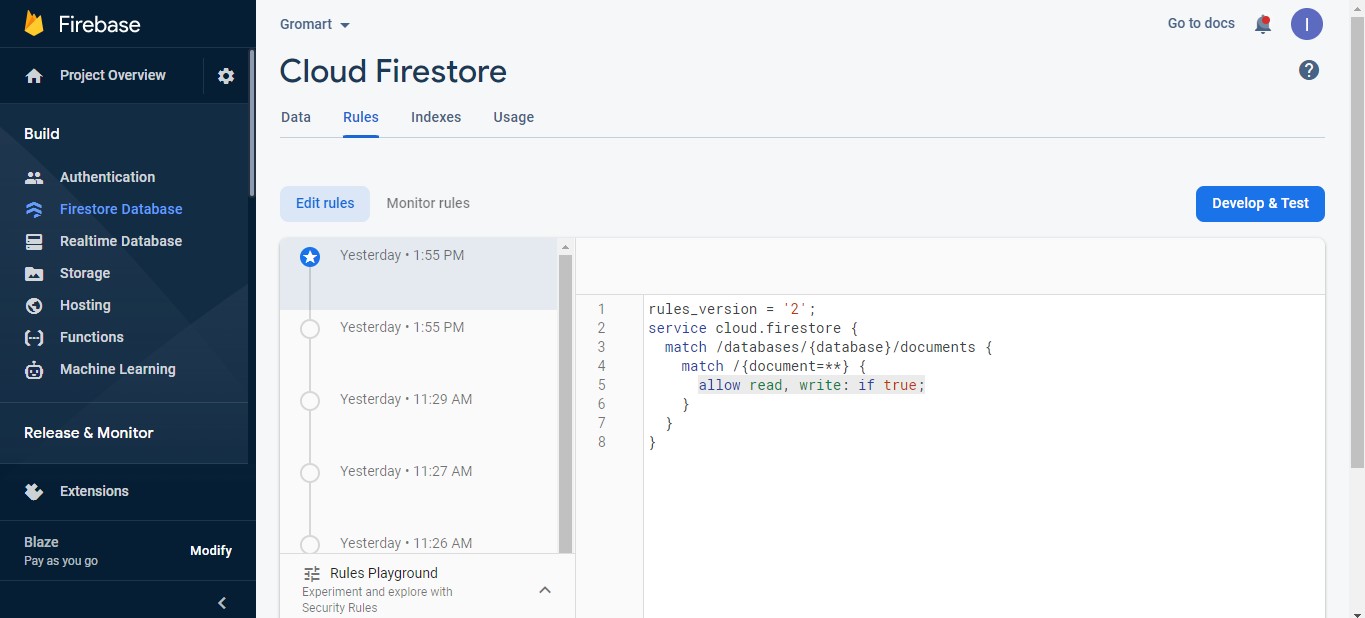
Create Firebase project
Step 1: Go to firebase console using this link Firebase
Step 2: Click on “Go to console” in the top right corner.

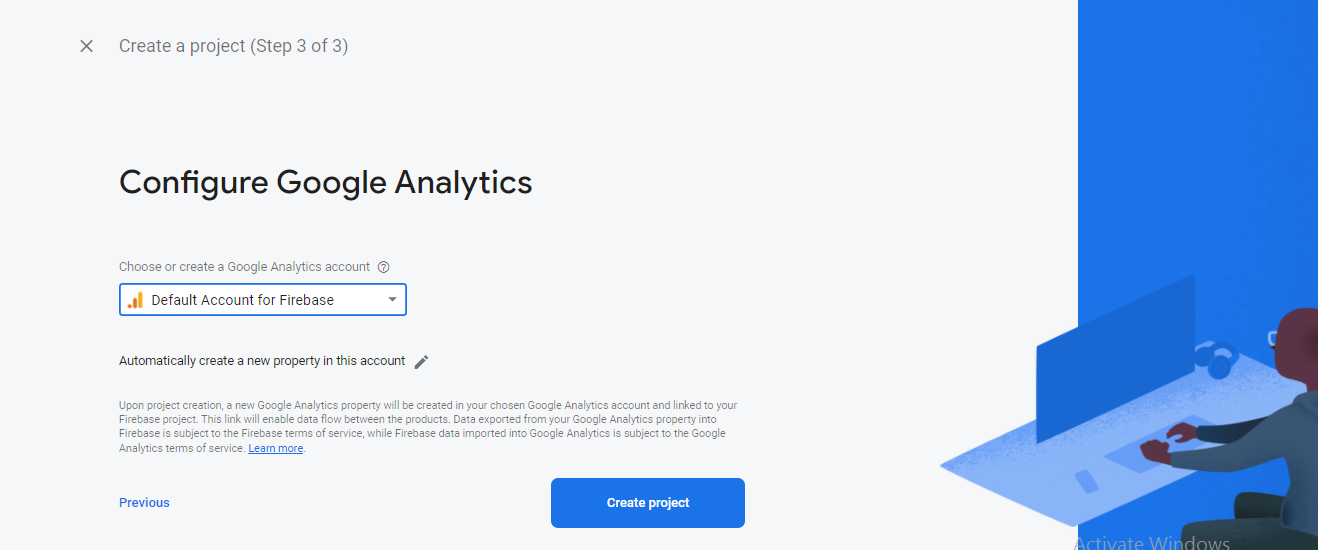
Step 3: Click on “Add project”, it will redirect you to the new project creation page Enter your project name and click on “Continue” again click on “Continue” after that select “Default Account fo firebase” and then click on “Create Project” See
Step 4: After creating a new project it will redirect you to the overview page on this page click on icons like
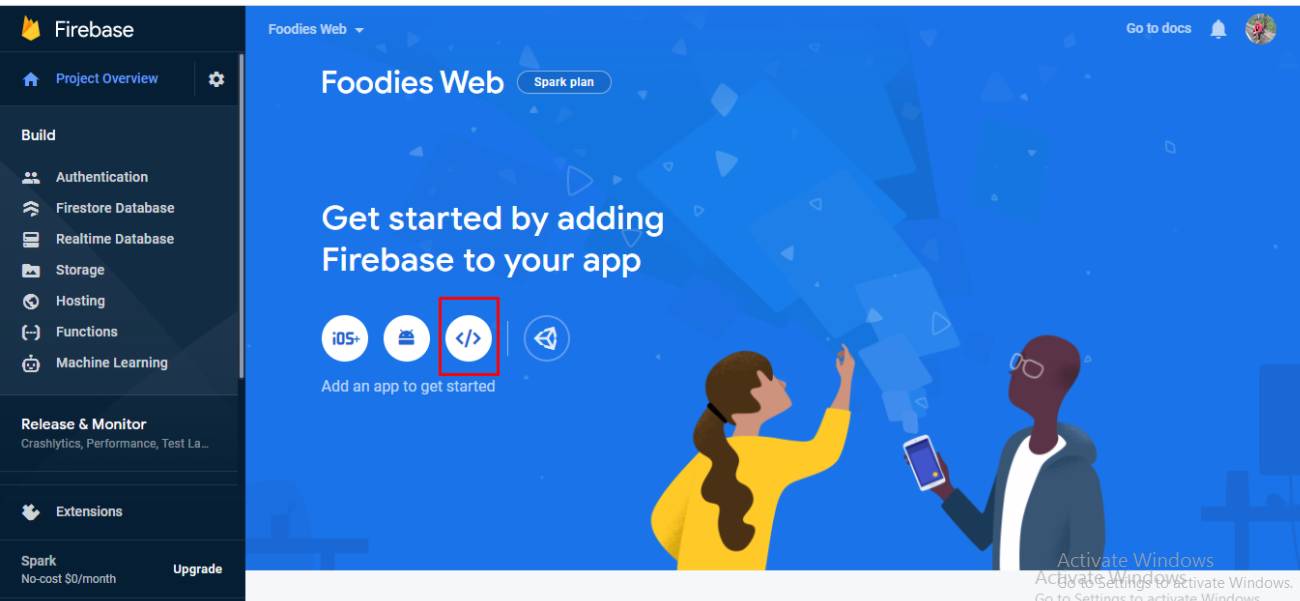
It will redirect you to the “Add Firebase to your web app” page enter your app nickname and click on “Register app” after clicking on it scroll down you can see details like below

You can add these firebase project details in the project’s .env file.
Step 5: After that click on “Firestore Database” in the left sidebar and select your project name from the drop-down and click on “Create database”
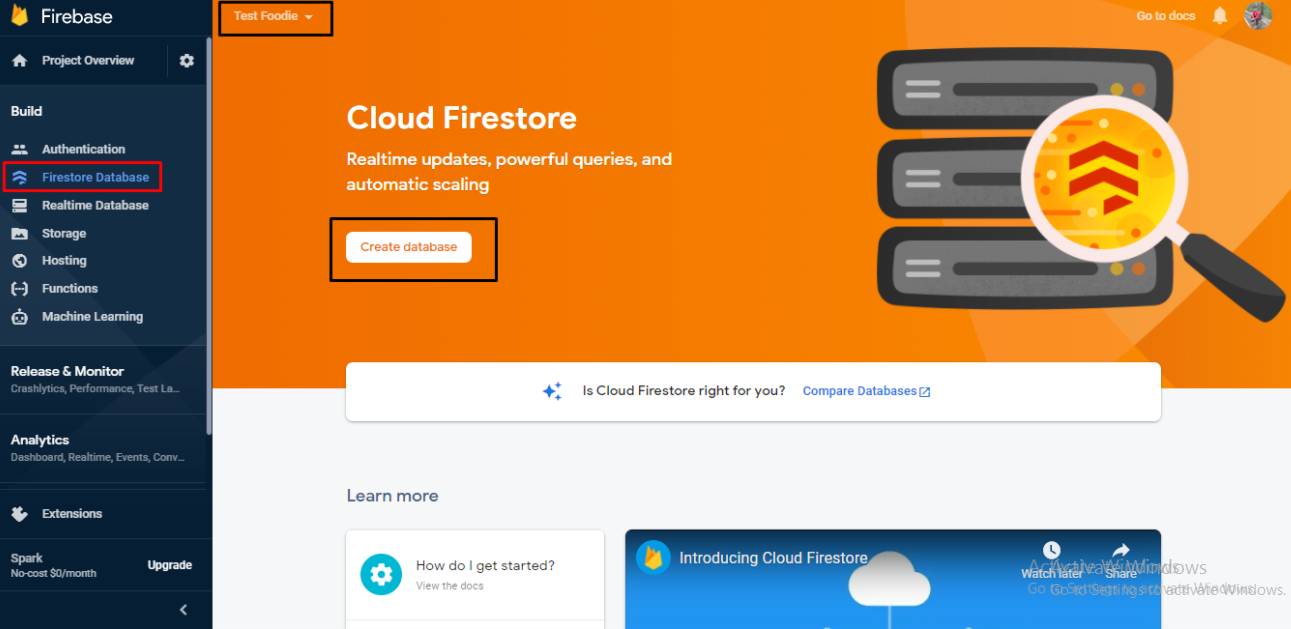
Step 6: Select the preferable option for you and click on the Next button then click on “Enable”.
Step 7: Firstore Database Rules Update.